

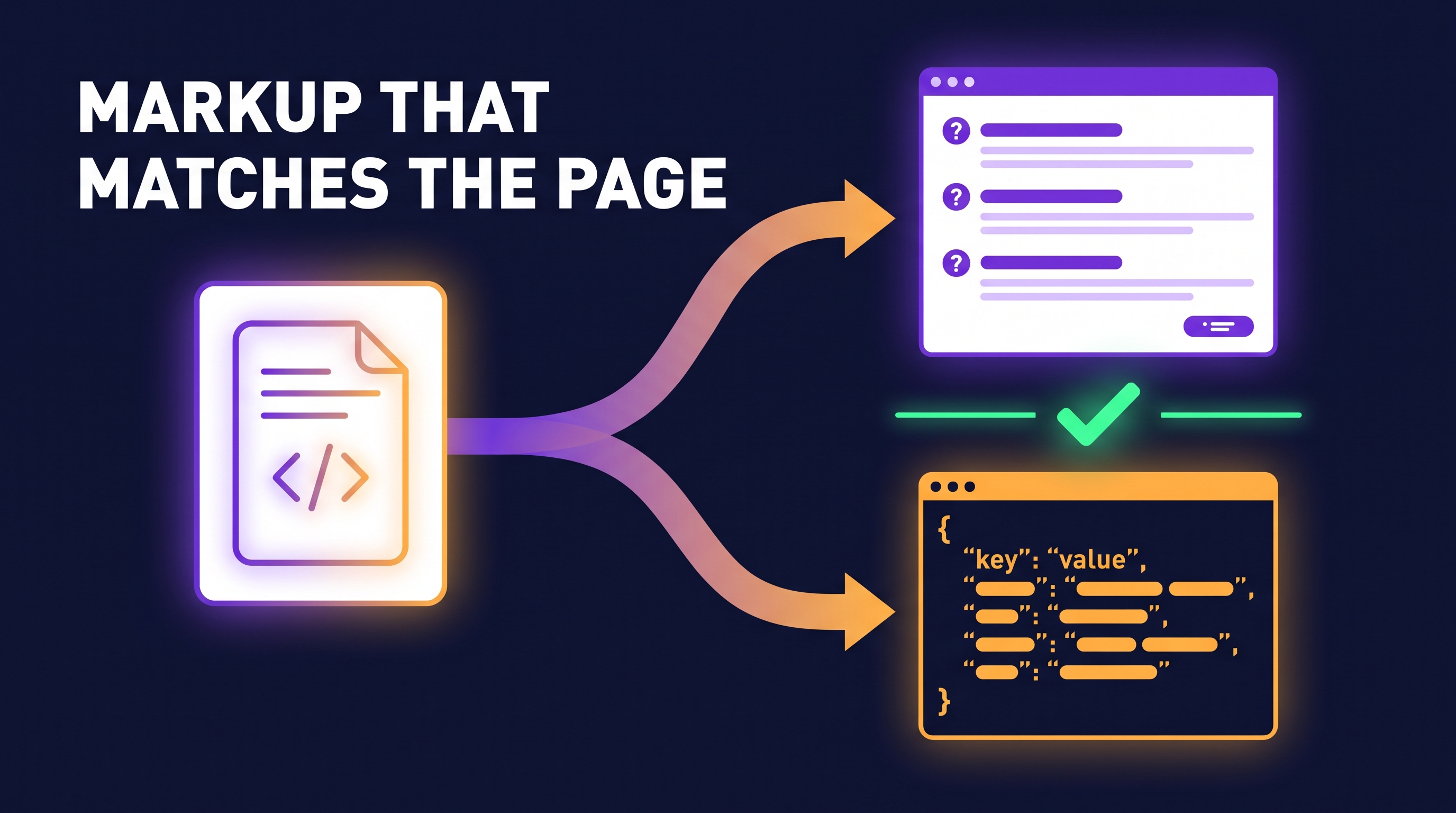
AEO schema markup is the JSON-LD you add to answer-focused pages (FAQ pages, help articles, how-to posts) so machines can read who you are and which question each page answers. It will not earn AI citations on its own. Its real risk is drift: markup that no longer matches the visible text breaks Google's guidelines. The fix is to generate markup and page from the same source and test that they agree.
I covered the strategy side in What Is Answer Engine Optimization (AEO) and How Do You Actually Do It on LinkedIn, and the "what schema does and doesn't do" question in Schema for AI Search on Medium. This post is the engineering half: AEO schema markup you can generate, validate and keep honest with code.
What AEO schema markup is, and what it is not
Answer engine optimization is about making a page the best, clearest answer to one question. Markup is a small part of that job.
Google is explicit that "structured data isn't required for generative AI search, and there's no special schema.org markup you need to add" (Google Search Central, generative AI optimisation guide, read November 2026). So treat AEO schema markup as three things:
- A machine-readable label for what the page is (FAQ, article, product, organisation).
- An eligibility input for rich results in classic search, where they still exist.
- A consistency layer for your entity facts: name, logo, profiles, dates.
What it is not: a ranking lever, a citation trigger, or a place to say things the page does not say.
Does FAQPage schema still work?
It is still valid schema.org, and Google still parses it. But the rich result changed. In August 2023 Google limited FAQ rich results to "well-known, authoritative government and health websites", and reduced HowTo results (Google Search Central blog, August 2023).
So for most sites the honest answer to "does FAQPage schema still work" is: as a label, yes; as extra space in search results, mostly no. Keep FAQ schema for AEO only where the page really is a list of questions with visible answers. Do not add it to a sales page to look like a FAQ.
Which schema type goes on which AEO page
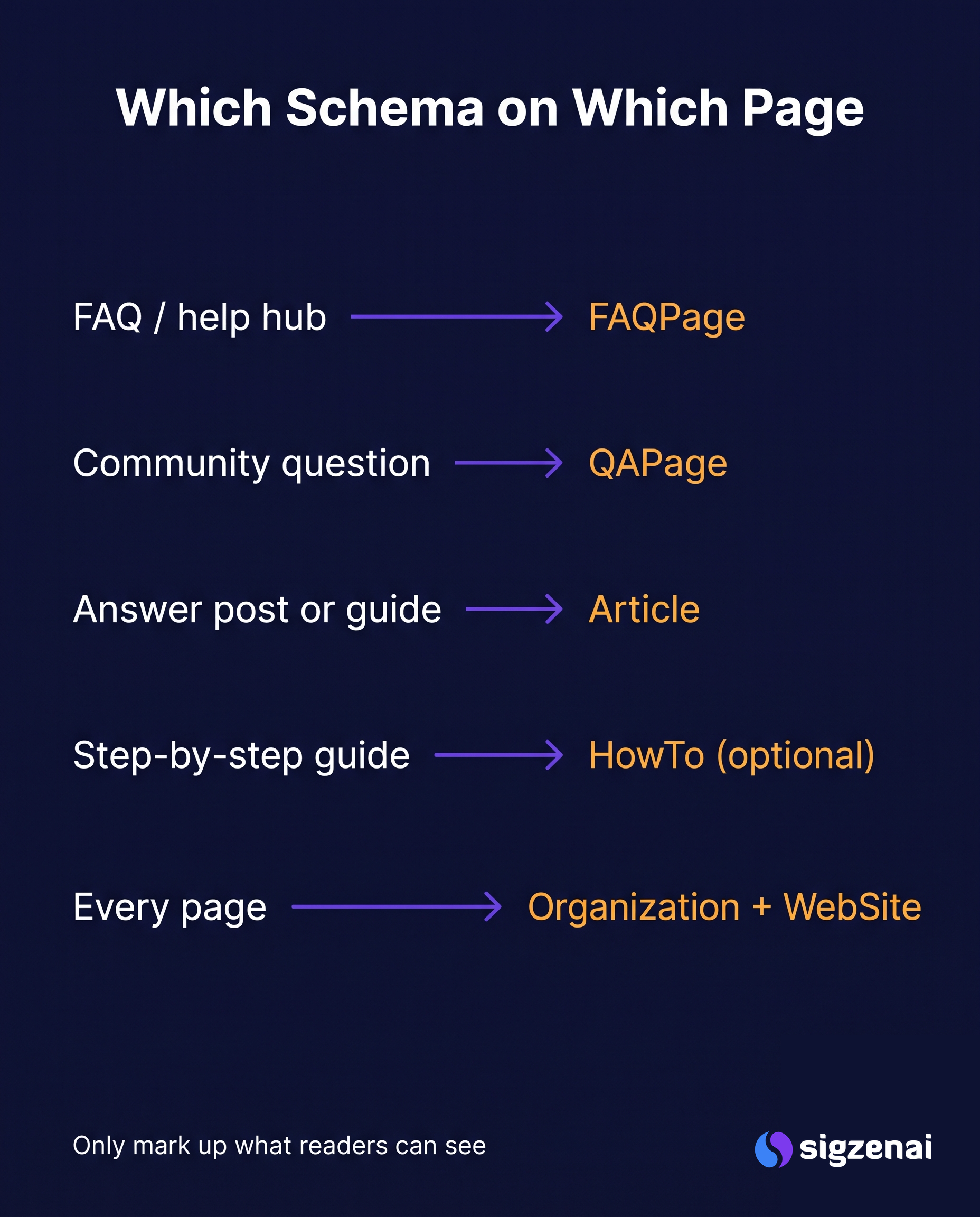
Match the type to what the page actually is. This mapping covers most answer-focused sites:
| AEO page type | Schema type | Key properties | Notes |
|---|---|---|---|
| FAQ / help hub | FAQPage |
mainEntity[].name, acceptedAnswer.text |
Only Q&As visible on the page |
| One question, community answers | QAPage |
mainEntity.answerCount, acceptedAnswer, suggestedAnswer |
For forums where users answer, not for your own FAQ |
| Answer post / guide | Article or BlogPosting |
headline, author, datePublished, dateModified |
Dates must match the visible ones |
| Step-by-step guide | HowTo (optional) |
step[].text |
Valid schema.org; no rich result in Google today |
| Every page | Organization + WebSite |
name, url, logo, sameAs |
One sitewide block, identical everywhere |
| Deep pages | BreadcrumbList |
itemListElement[] |
Cheap and stable |
Google's QAPage documentation says it is for pages where users can submit answers to a single question, which is why your own help page should use FAQPage instead.
On a B2B site, the question-to-page mapping matters more than the type list. We wrote about which page should answer which buyer question for SaaS teams, and the same map tells you where each schema type belongs.
The real risk: markup drift
Google's structured data guidelines say: "Don't mark up content that is not visible to readers of the page." They also say the markup must be representative of the page's main content.
Most AEO schema markup starts out correct. Then somebody edits an FAQ answer in the CMS, and the JSON-LD that was pasted into a header field months ago still says the old thing. Now the markup describes content that is not on the page. Nobody notices, because nothing visible broke.
Three common sources of drift:
- Hand-written JSON-LD in a theme or tag manager, separate from the content.
- Plugins that cache an old version of the Q&A list.
- Dates in
dateModifiedthat are set once and never updated, or updated on every deploy while the visible "Last updated" date stays the same.
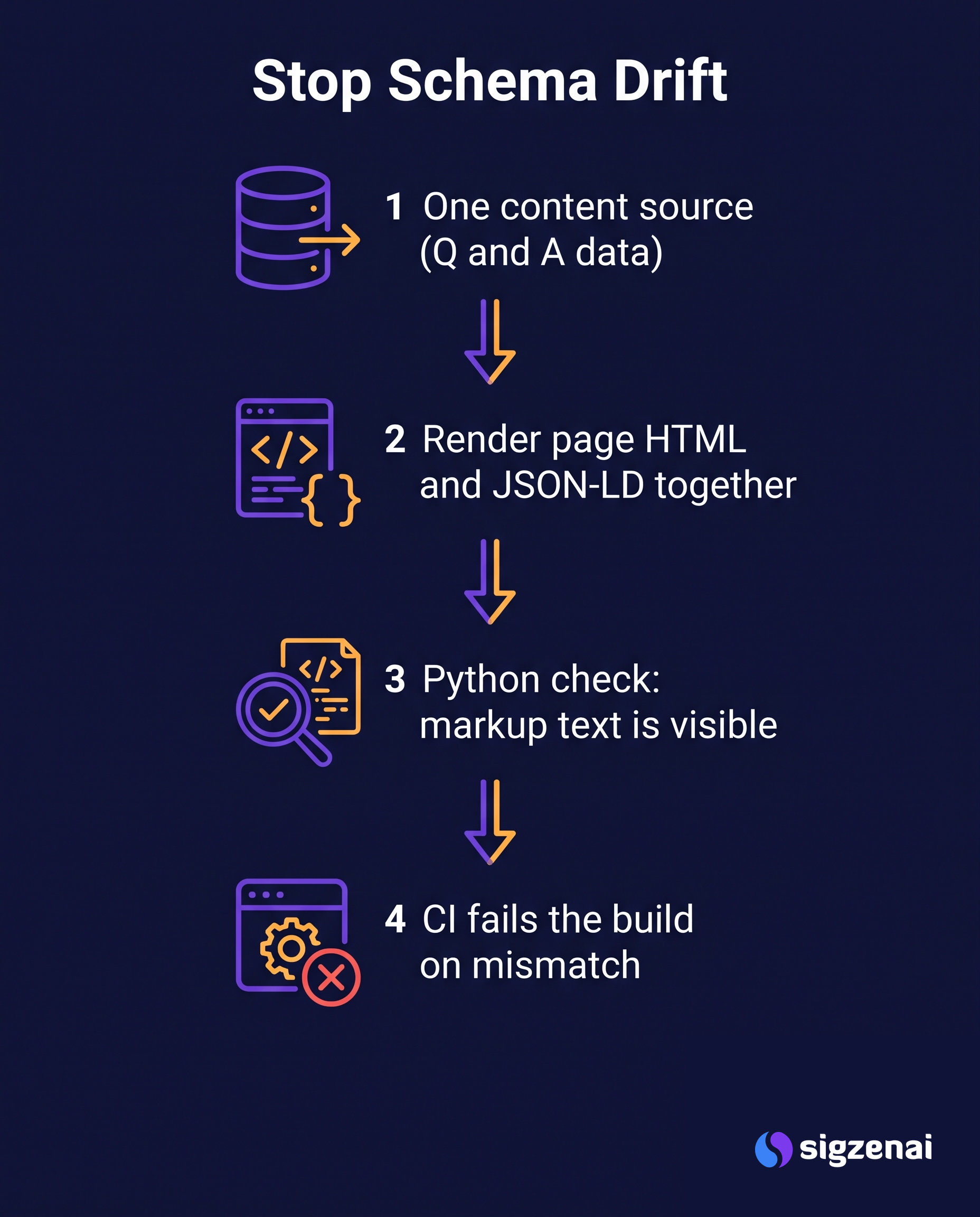
The fix is the same in each case: one source of truth, and a test.
Pattern 1: render the page and the JSON-LD from one source
If you control the templates, keep the questions and answers in one data structure and render both the visible HTML and the FAQ schema for AEO from it. Then they cannot disagree.
# faq_render.py - one source, two outputs
import html
import json

FAQ = [
    {
        "q": "How long does onboarding take?",
        "a": "Most teams are live in two weeks, including data import and training.",
    },
    {
        "q": "Can we export our data?",
        "a": "Yes. Every workspace can export all records as CSV or JSON at any time.",
    },
]

def faq_jsonld(items):
    return {
        "@context": "https://schema.org",
        "@type": "FAQPage",
        "mainEntity": [
            {
                "@type": "Question",
                "name": item["q"],
                "acceptedAnswer": {"@type": "Answer", "text": item["a"]},
            }
            for item in items
        ],
    }

def faq_html(items):
    parts = ['<section class="faq">']
    for item in items:
        parts.append(f"<h3>{html.escape(item['q'])}</h3>")
        parts.append(f"<p>{html.escape(item['a'])}</p>")
    parts.append("</section>")
    # Escape "</" so an answer can never close the script tag early
    payload = json.dumps(faq_jsonld(items), ensure_ascii=False).replace("</", "<\\/")
    parts.append(f'<script type="application/ld+json">{payload}</script>')
    return "\n".join(parts)

if __name__ == "__main__":
    print(faq_html(FAQ))
The same idea works in any stack: a React component that takes the FAQ array as a prop and outputs both the list and the JSON-LD, or a static-site shortcode that reads a YAML file. The rule is that nobody types the answer twice.
For articles, do the same with dates: read datePublished and dateModified from the same field that prints the visible "Last updated" line.
Pattern 2: check live pages for drift with Python
If markup comes from a CMS or plugin you don't control, test the output instead. This script fetches each URL, reads every JSON-LD block, and checks that the key text in the markup appears in the visible page text.
# check_schema.py - fail if JSON-LD says something the page doesn't
# usage: python check_schema.py https://example.com/faq https://example.com/blog/post
import json
import re
import sys
import unicodedata

import requests
from bs4 import BeautifulSoup

def norm(text):
    text = unicodedata.normalize("NFKC", text or "")
    text = re.sub(r"<[^>]+>", " ", text)          # answers may contain HTML
    return re.sub(r"\s+", " ", text).strip().lower()

def jsonld_items(soup):
    for tag in soup.find_all("script", type="application/ld+json"):
        try:
            data = json.loads(tag.string or "")
        except json.JSONDecodeError as err:
            yield {"@type": "_invalid", "error": str(err)}
            continue
        blocks = data if isinstance(data, list) else [data]
        for block in blocks:
            if isinstance(block, dict):
                yield from block.get("@graph", [block])

def visible_text(soup):
    for tag in soup(["script", "style", "noscript", "template"]):
        tag.decompose()
    return norm(soup.get_text(" "))

def claims(item):
    """Text fields that must appear on the page, per schema type."""
    kind = item.get("@type")
    kinds = kind if isinstance(kind, list) else [kind]
    if "_invalid" in kinds:
        return [("invalid JSON-LD", item["error"])]
    out = []
    if "FAQPage" in kinds:
        for q in item.get("mainEntity", []):
            out.append(("question", q.get("name", "")))
            out.append(("answer", q.get("acceptedAnswer", {}).get("text", "")))
    if {"Article", "BlogPosting", "NewsArticle"} & set(kinds):
        out.append(("headline", item.get("headline", "")))
    if "Organization" in kinds:
        out.append(("organization name", item.get("name", "")))
    return out

def check(url):
    resp = requests.get(url, timeout=30, headers={"User-Agent": "schema-drift-check/1.0"})
    resp.raise_for_status()
    soup = BeautifulSoup(resp.text, "html.parser")
    items = list(jsonld_items(soup))          # read markup before stripping scripts
    page = visible_text(soup)
    problems = []
    for item in items:
        for label, value in claims(item):
            if label == "invalid JSON-LD":
                problems.append(f"{label}: {value}")
            elif value and norm(value) not in page:
                problems.append(f"{label} not visible: {value[:80]!r}")
    return items, problems

if __name__ == "__main__":
    failed = False
    for url in sys.argv[1:]:
        items, problems = check(url)
        status = "OK" if not problems else "DRIFT"
        print(f"{status}  {url}  ({len(items)} JSON-LD items)")
        for p in problems:
            print("   -", p)
        failed |= bool(problems)
    sys.exit(1 if failed else 0)
Two limits to know:
- It reads server HTML. If your FAQ is rendered by JavaScript, fetch the page with a headless browser (Playwright or similar) and pass the rendered HTML to the same functions.
- It checks text, not CSS. Content hidden with
display: nonestill counts as present here. Search engines render the page, so keep FAQ answers in the normal flow (an accordion that expands is fine).
Exact-match checks are strict on purpose. If a check fails because of a small wording change, that is exactly the drift you want to catch.
Pattern 3: run it in CI
Put the URLs of your answer pages in a text file and run the check on a schedule, plus on every deploy.
# .github/workflows/schema-drift.yml
name: schema-drift
on:
  schedule:
    - cron: "0 3 * * *"     # nightly
  workflow_dispatch:
jobs:
  check:
    runs-on: ubuntu-latest
    steps:
      - uses: actions/checkout@v4
      - uses: actions/setup-python@v5
        with:
          python-version: "3.12"
      - run: pip install requests beautifulsoup4
      - run: python check_schema.py $(cat answer-pages.txt)
A failing run is a cue to fix the source, not the markup. If the visible answer changed on purpose, regenerate the JSON-LD from it.
Validate with the official tools too
The drift check does not replace syntax and eligibility checks. Before you ship new AEO schema markup:
- Rich Results Test (search.google.com/test/rich-results) for Google-supported types and eligibility.
- Schema.org validator (validator.schema.org) for any type, including ones Google doesn't show as rich results.
- URL Inspection in Search Console to see the HTML Googlebot actually got.
- Your drift check, on the same URLs.
Google also notes that correct markup makes a page eligible for rich results but never guarantees them.
JSON-LD for answer engines beyond Google
ChatGPT, Perplexity and Copilot have not published how, or whether, they use JSON-LD for answer engines when picking sources. Their documented controls are about crawler access (for example, OpenAI documents its search crawler in robots.txt). So the safe position is the same everywhere: accurate, visible-text-matching markup cannot hurt, and it keeps your entity facts consistent for any system that does read it.
What AEO schema markup won't do for you
Markup won't fix a page that buries its answer, has no sourced facts, or is blocked from crawling. Those are the parts of answer engine optimization that move results, and I walked through them on one real page in Best Practices for Answer Engine Optimization, Shown on One Page on Medium.
A useful order of work:
- Crawl access and indexing.
- A direct answer in the first two sentences of each answer page.
- Sourced, specific facts.
- Then AEO schema markup, generated from the content and tested for drift.
Common AEO schema markup mistakes
These are the issues I see most when auditing answer pages. Each one is quick to find with the check above or a validator.
- FAQPage on a page with no visible FAQ. The markup lists five questions, the page shows none, or shows them only in a modal. Either show the questions on the page or remove the markup.
- One FAQ block copied to every page. The same ten questions in the JSON-LD of the home page, pricing page and blog. Each page's markup should describe that page only.
- Answers in markup that are longer than on the page. Someone wrote a fuller answer for the JSON-LD "for the bots". If it is worth saying, put it on the page.
dateModifiedset to the build time. Every deploy makes every page look freshly updated while the visible date stays old. Use the real content edit date.- Two Organization blocks with different names. A theme adds one, a plugin adds another, and they disagree on the brand name or logo. Keep one sitewide block.
- Invalid JSON hiding in production. A trailing comma or an unescaped quote makes the whole block unreadable. The checker reports it as invalid JSON-LD; the validators do too.
- Markup on noindexed pages. If a page is blocked from indexing, its AEO schema markup does nothing for search. Check indexing first.
Fixing these rarely changes rankings overnight. What it does is remove the reasons a system could misread or distrust your answer pages, which is all AEO schema markup can honestly promise.
FAQ
What is AEO schema markup?
Structured data (usually JSON-LD) on answer-focused pages that labels what each page is and who published it. Common types are FAQPage, Article, Organization and BreadcrumbList.
Does FAQPage schema still work in 2026?
As valid markup, yes. As a Google rich result, mostly only for authoritative government and health sites since August 2023. Use it where the page genuinely is a FAQ.
Is FAQ schema for AEO required to appear in AI answers?
No. Google says no special markup is needed for its AI features, and other AI search providers have not said they require it.
Should I use QAPage or FAQPage?
FAQPage for your own list of questions and answers. QAPage for a single question where users submit answers, like a forum thread.
How do I stop JSON-LD drifting from page content?
Render both from one data source, and run an automated check that compares markup text with visible text on every deploy.
Can JSON-LD hurt my answer engine optimization?
Markup that describes content not visible on the page breaks Google's guidelines and can make the page ineligible for rich results. Accurate markup has no known downside.
Wrapping up
Good AEO schema markup is boring by design: the right type on the right page, generated from the same content readers see, and tested so it stays that way. Copy check_schema.py, point it at your FAQ and answer pages, and let CI tell you when the markup and the page stop agreeing. For the strategy behind the answer pages themselves, start with the LinkedIn article on answer engine optimization.
Last updated: 18 November 2026
About the author
- Sigzen AI is an AI Visibility and Automation studio. We help brands get found, named and cited in AI answers from ChatGPT, Gemini, Perplexity and Google AI Overviews through generative engine optimization (GEO) and answer engine optimization (AEO), then automate the work that follows with practical AI workflows. On this blog we share source-backed guides on AI visibility, GEO, AEO, AI search measurement and AI automation.
Comments
Join the discussionNo comments yet. Be the first to comment.